Guides
How to use a Huddl calendar subscription
Subscribe to your Going plans, distinguish live subscriptions from downloads, and manage private links when arrangements change.
Reviewed 2026-10-14 against Huddl 0.9.29. Updated 2026-10-14.
On this page
Start with the answer you want in your calendar
A Huddl calendar subscription is a feed of your eligible ongoing and upcoming Going plans. Joining a huddl, liking an option, or leaving a plan unanswered does not add it as an attendance commitment. Manage the current plan and RSVP inside Huddl; the receiving calendar displays a copy and controls when it refreshes.
Use the same profile whose plans you want to see. Your private feed link grants access to its calendar data, so treat it like a credential. Do not put it into group chat, a public calendar directory, screenshots, or a support report. The illustrated control deliberately masks that link.
Enable the private feed in Profile
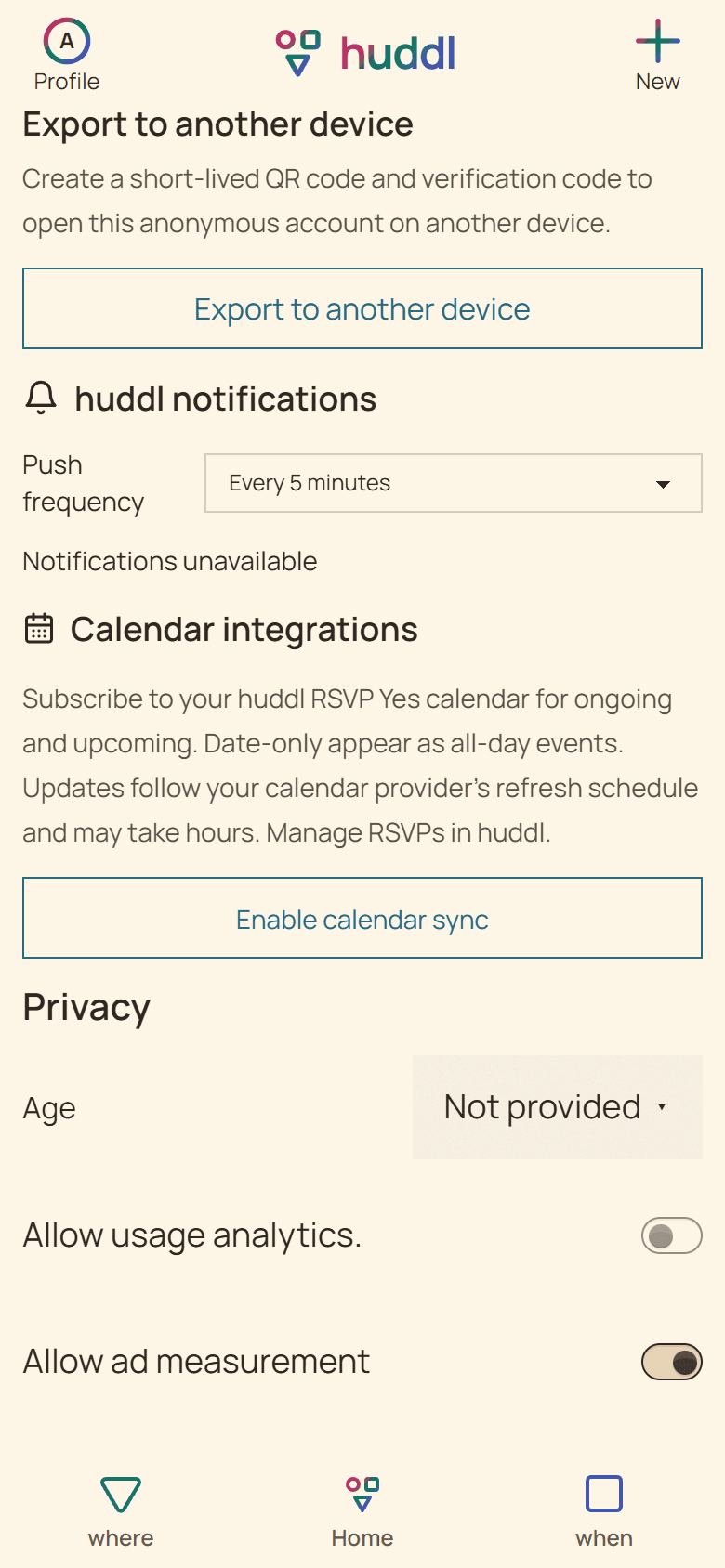
A download is a different operation. Download current events (.ics) produces a snapshot; importing that file does not maintain a connection to future Huddl changes. Choose a subscription when you want the receiving calendar to obtain updated events over time.
- Open Profile in the Huddl product app and find Calendar integrations.
- While online, choose Enable calendar sync and wait for Subscription enabled.
- Select the calendar provider to read its setup guidance, then choose Copy calendar link when a URL is needed.
- Complete the subscription in the receiving calendar. Verify one current Going plan against Huddl, including its full local date and time.
Use the receiving calendar’s subscription path
Google documents adding URL calendars from a computer browser. Apple’s current instructions distinguish iOS/iPadOS 26 from older versions. Outlook distinguishes importing a snapshot from subscribing and warns that refreshes can take more than a day. Use the provider’s current guidance below rather than assume identical controls or immediate refresh.
| Provider | Subscription path | What to check |
|---|---|---|
| Google Calendar | In a computer browser: Other calendars → From URL → paste the private link → Add calendar | The feed is readable to anyone holding its link; keep it private |
| Apple Calendar | Calendars → Add Calendar → Add Subscription Calendar; on Mac use File → New Calendar Subscription | Follow the controls for your OS version and choose the intended calendar account |
| Outlook on the web | Add calendar → Subscribe from web → paste the link → Import | Use Subscribe from web rather than uploading a downloaded file |
Check a changed or missing event against the current plan
A calendar refresh is not evidence that every participant read a change. For a time-sensitive booking or someone already traveling, use direct contact and the current Huddl card. Date-only selections may appear as all-day events; check the saved timing rather than infer a start from a calendar layout.
| What you notice | Check in Huddl | Then check the receiving calendar |
|---|---|---|
| An expected event is absent | The plan is confirmed and your current answer is Going | The right feed is enabled, subscribed, and visible |
| An old venue remains | Read the changed plan and give a fresh attendance answer | Allow for its refresh schedule; do not travel from an old calendar copy |
| Updates never arrive | The subscription remains enabled with its current link | Confirm you subscribed rather than imported an .ics snapshot |
| A canceled plan is visible | Read cancellation in Huddl before relying on the event | Refresh or inspect provider behavior; a cached copy may remain temporarily |
Replace or disable a link deliberately
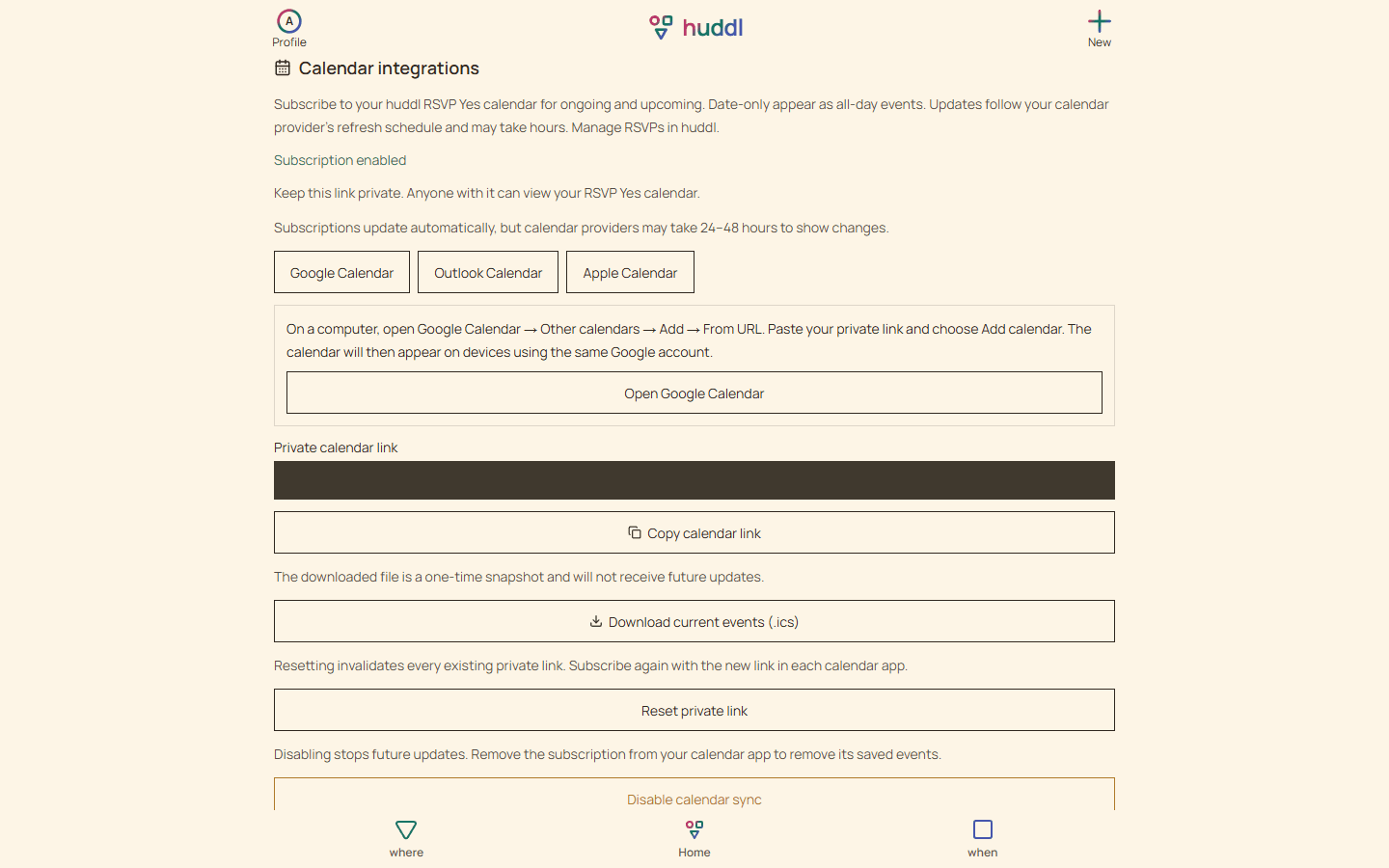
Revoking access stops later retrieval; it does not erase copies someone already downloaded or the events a provider cached. Reset does not itself enable a disabled feed. The result to verify is the current enabled state and, after a reset, a working replacement subscription.
- If the private link was disclosed, choose Reset private link in Profile while the subscription is enabled.
- Subscribe again with the replacement link in every receiving calendar; the old links are invalidated.
- To stop the feed, choose Disable calendar sync. Remove the subscription from the receiving app when you want its stored calendar removed too.
- If a request fails, reload the current subscription state before copying a link or assuming a reset or disable completed.
Work through a fictional example
A fictional member subscribes to a dinner they marked Going, then the group changes its venue.
Put it into practice
Communities
Club and community meetups
Give club members and newcomers a clear meetup plan, useful arrival instructions, and shared setup tasks.
Read the workflow
Travelers and local friends
A friend visiting from out of town
Turn a fixed travel window into one or more realistic meetups without broadcasting unnecessary itinerary details.
Read the workflow