Features
Know who is going
Collect attendance responses against a specific place and time, and let participants revise their answer.
On this page
Product states in this journey
These controlled fictional examples were captured from the current application.
Ask a concrete question
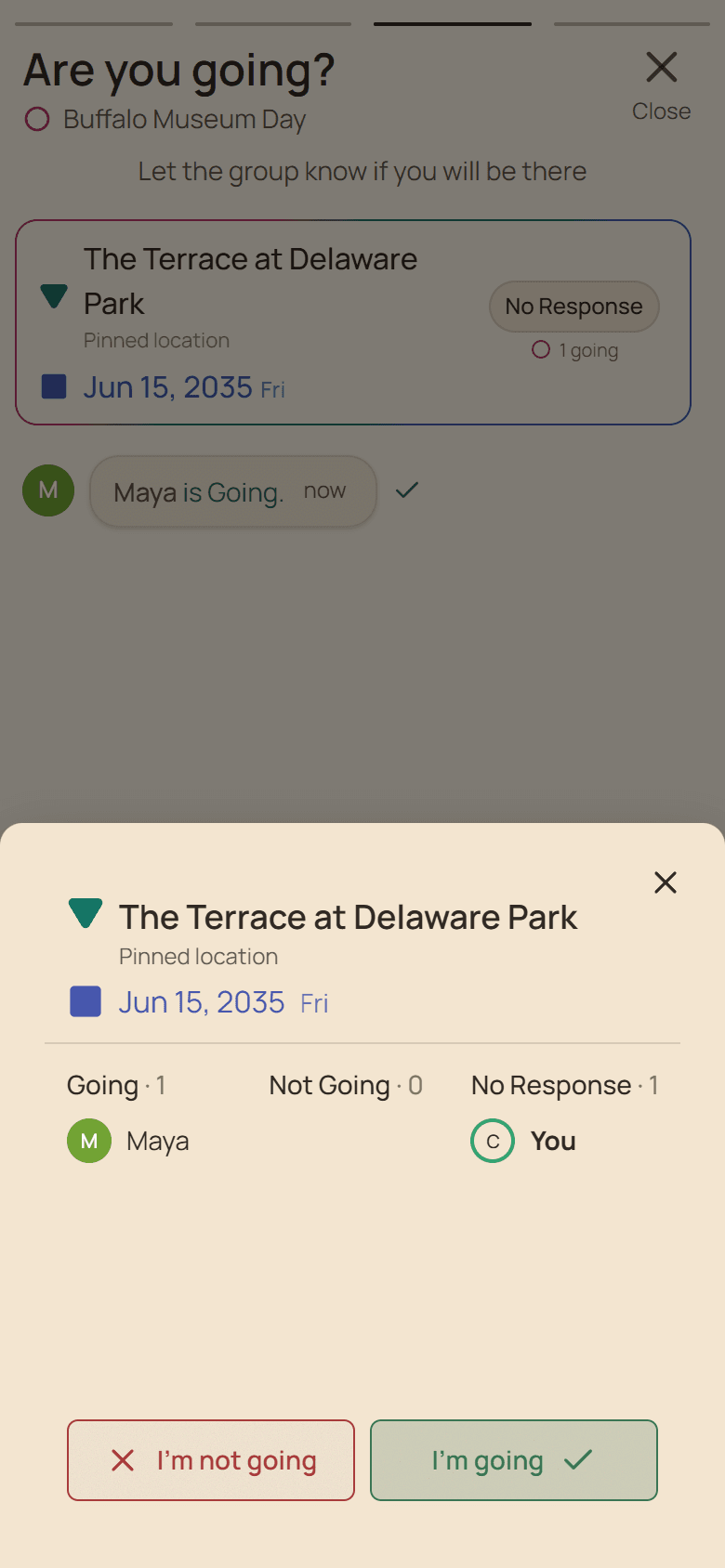
An RSVP is useful when the participant can see the arrangement they are answering. Give the plan a place and time before using its attendance count for a reservation or preparation decision. Early enthusiasm and a heart on a suggestion are useful signals, but they answer different questions.
For a picnic, liking the park does not tell you whether someone can attend the chosen afternoon. Ask them to open that plan and respond there. This gives the organizer a headcount tied to the actual arrangement.
Read the attendance groups
Expand a plan to see Going, Not Going, and No response groups. An unanswered participant is not automatically a yes or a no. If you need a final count, contact unanswered people with the details and a practical response deadline.
Keep additional guests explicit in the conversation. Do not assume that one account?s response represents a whole household. If food or seats depend on a larger headcount, confirm that separately with the people responsible for preparation.
Update your answer when circumstances change
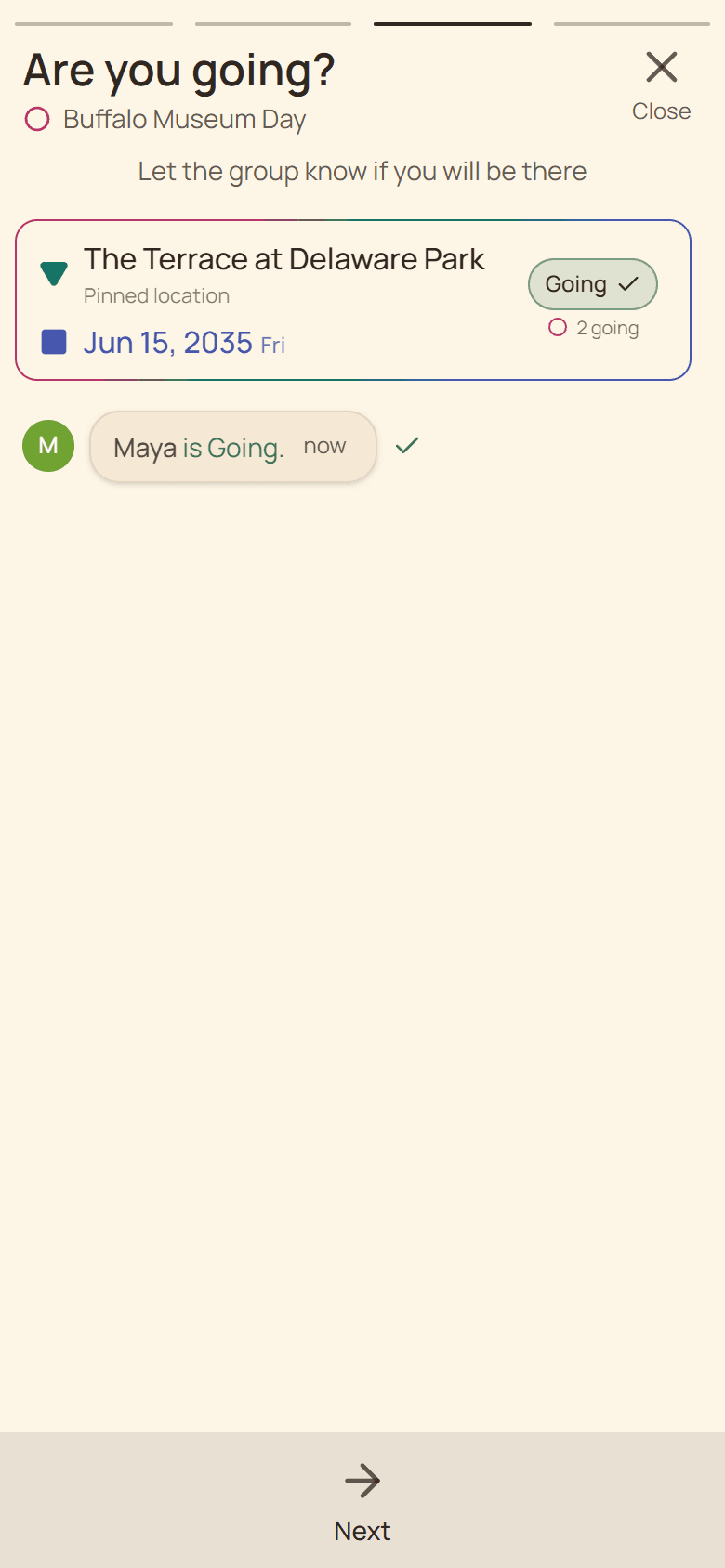
The current plan offers attendance controls and a Change RSVP action after you have answered. Review the resulting state when changing your response. A change should be visible on the plan you intended to update, especially when the huddl contains several arrangements.
If you can no longer attend, update the response early and tell anyone whose booking or task depends on it. A changed RSVP can explain attendance, while a short message explains practical consequences such as an unused ticket or a missing ride.
Use the latest count
Before committing money or preparing supplies, check the current plan rather than an earlier screenshot. Responding to one plan does not answer another. When arrangements change, identify the relevant plan clearly and ask affected participants to review their answer. If a save fails, resolve it using the app?s recovery controls and confirm the response before relying on the count.