Features
Compare places with your group
Keep place suggestions, hearts, and participant preferences beside the plans they help shape.
On this page
Product states in this journey
These controlled fictional examples were captured from the current application.
Build a shortlist with a reason
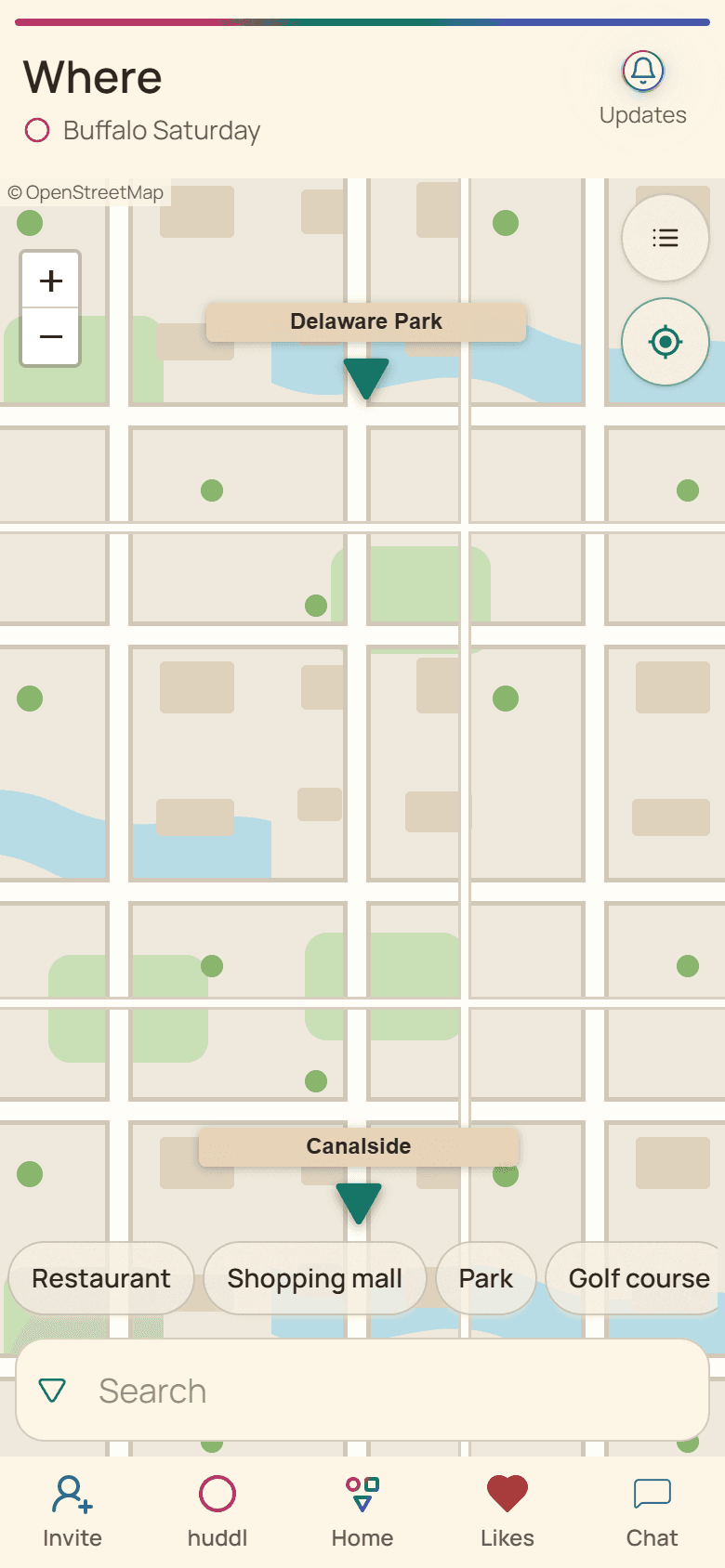
Where brings the huddl?s location options together. Start with a few credible places rather than every venue you can find. Explain the practical reason for each suggestion: one is easier to reach, another has suitable food, and another works if it rains. Those reasons help people make an informed comparison.
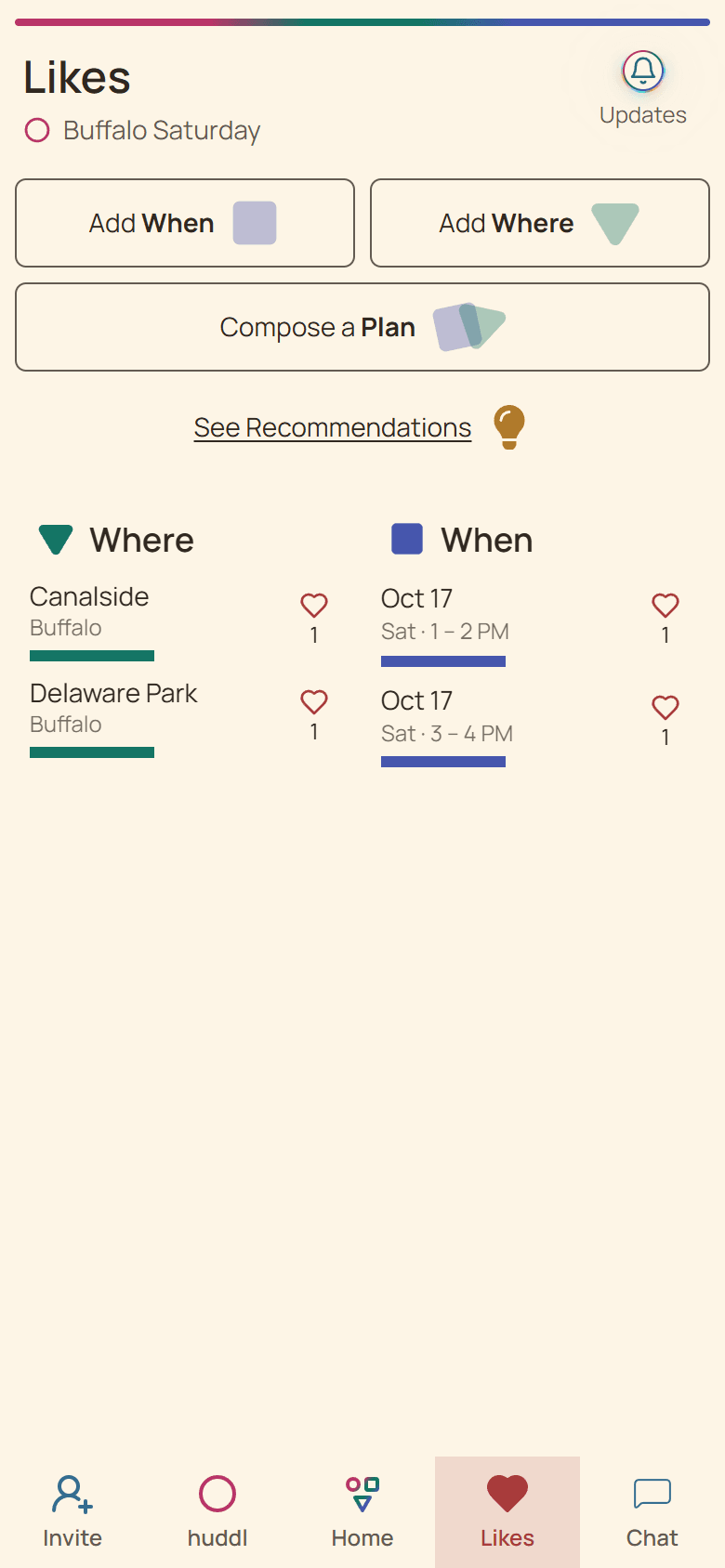
The list shows preferences, while the map provides location context. Use the view that answers your question. A map helps with position; a list is often easier for comparing the group?s reactions. Neither substitutes for checking venue availability or access directly.
Understand selection and liking
Selecting an option and liking it are separate actions. A selected shape identifies an option you are using to construct or filter a plan. A heart records a preference. The displayed heart count and preference bar help you see group support without converting every reaction into an attendance commitment.
For a dinner, a participant might like two restaurants but select one while combining it with a specific time. That does not make the other restaurant unacceptable. Discuss hard constraints explicitly rather than asking other participants to infer them from a missing heart.
Connect a place to a time
A place by itself is still an option. Combine it with timing when you are ready to offer a concrete plan. Existing huddl options can be carried into the new-plan flow, keeping the group?s earlier suggestions available as you work.
If one venue closes before your proposed start time, revisit the combination. Do not present a popular location as settled simply because it received several hearts. The useful question is whether that place at that time works for the people you hope will attend.
Make arrival details precise
Once the group has a plan, specify the entrance, meeting point, and any reservation name in the shared context. For parks and large buildings, the venue name alone can leave people far apart. Ask someone to verify practical details and record the result in Chat or a task update. A short arrival note can prevent more confusion than another location suggestion.