Product journey
Suggest places and times
Add real possibilities, review the draft, and let members record preferences without confusing them with attendance.
For Groups still shaping the decision
Step 01
Add a place option
Search or choose a physical meeting place inside the huddl-scoped Where view.
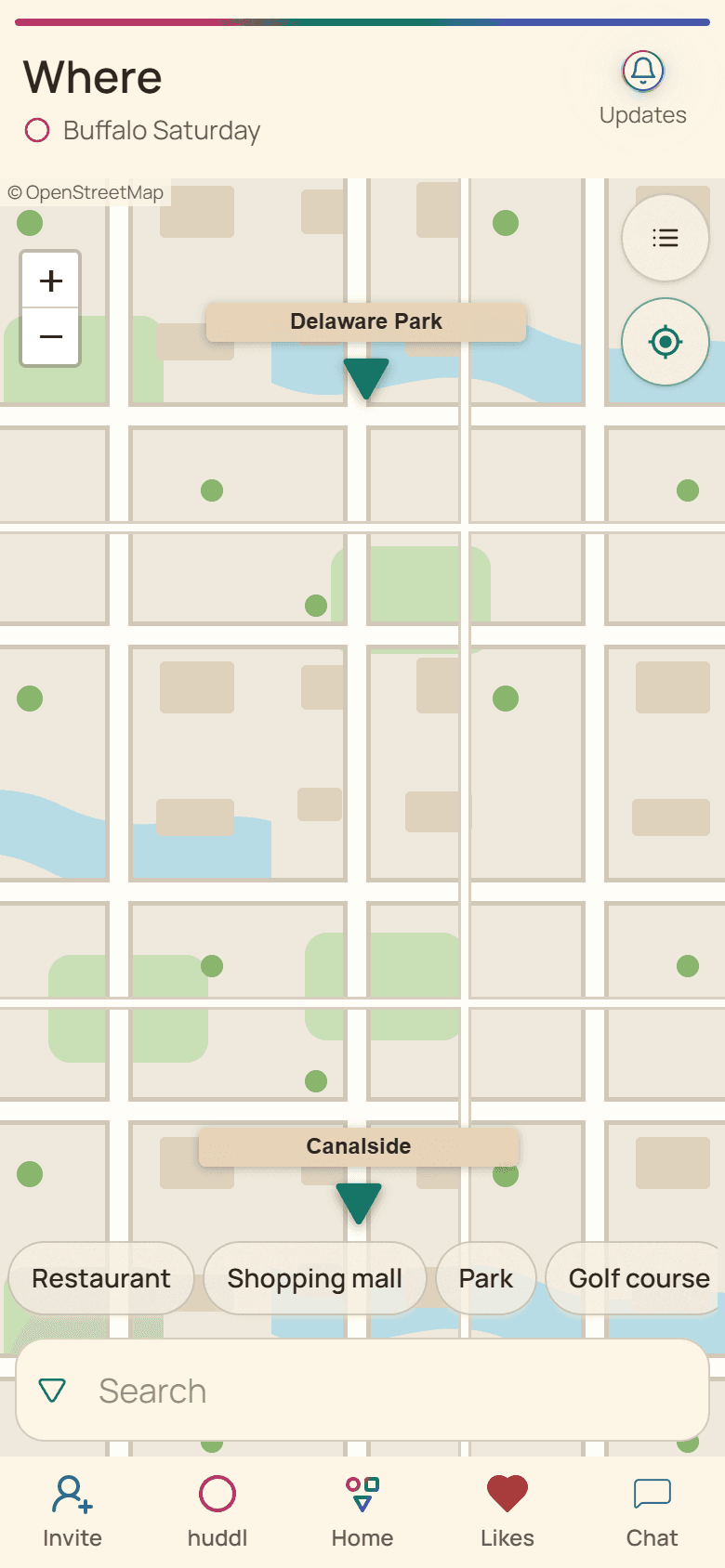
Current Huddl example: add a place option. Fictional people and planning details are shown. Step 02
Add future availability options
Use the When calendar to select dates or ranges that the group could genuinely use.
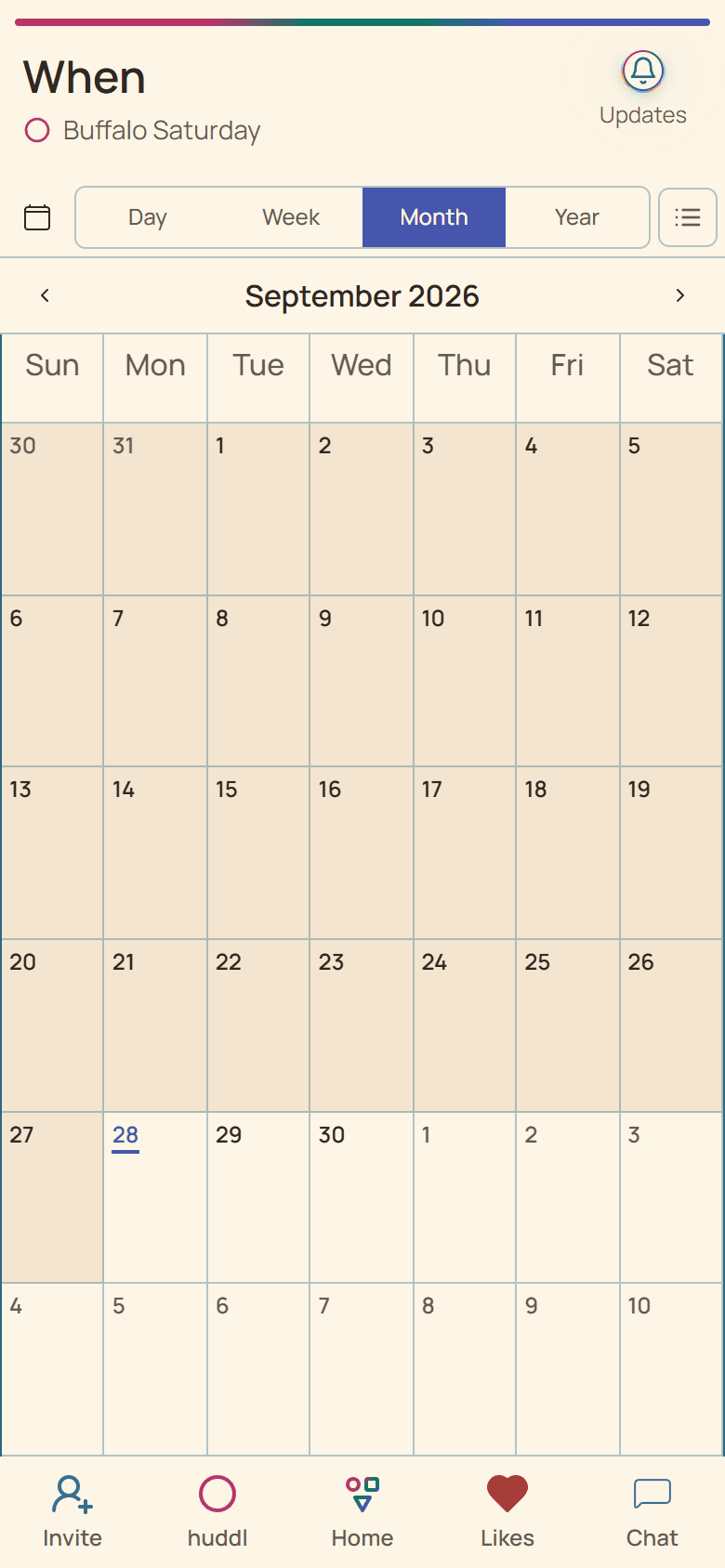
Current Huddl example: add future availability options. Fictional people and planning details are shown. Step 03
Review every draft option
Inspect the read-only Where and When rows before confirming the complete draft.
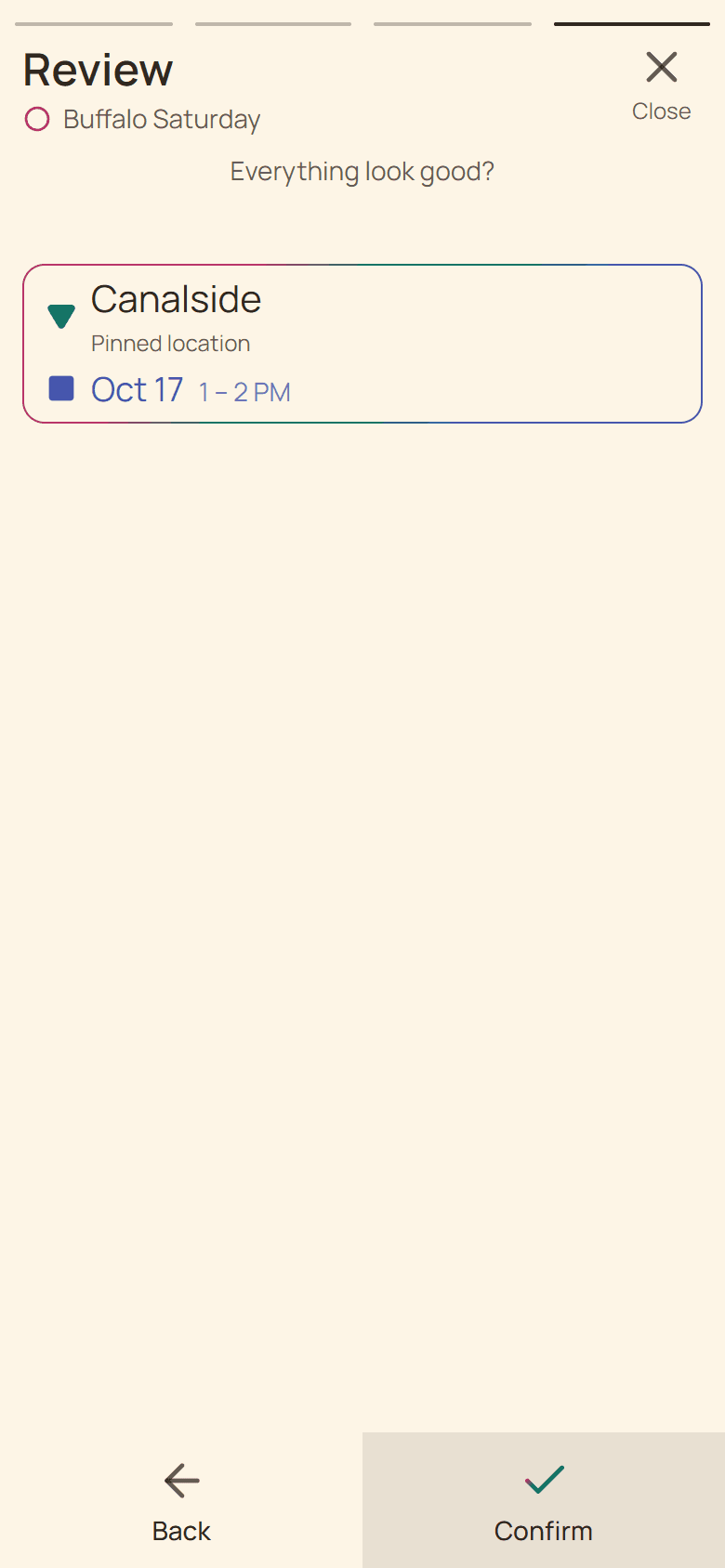
Current Huddl example: review every draft option. Fictional people and planning details are shown. Step 04
Record member preferences
Participants respond to new option cards or the Likes workspace with positive hearts.
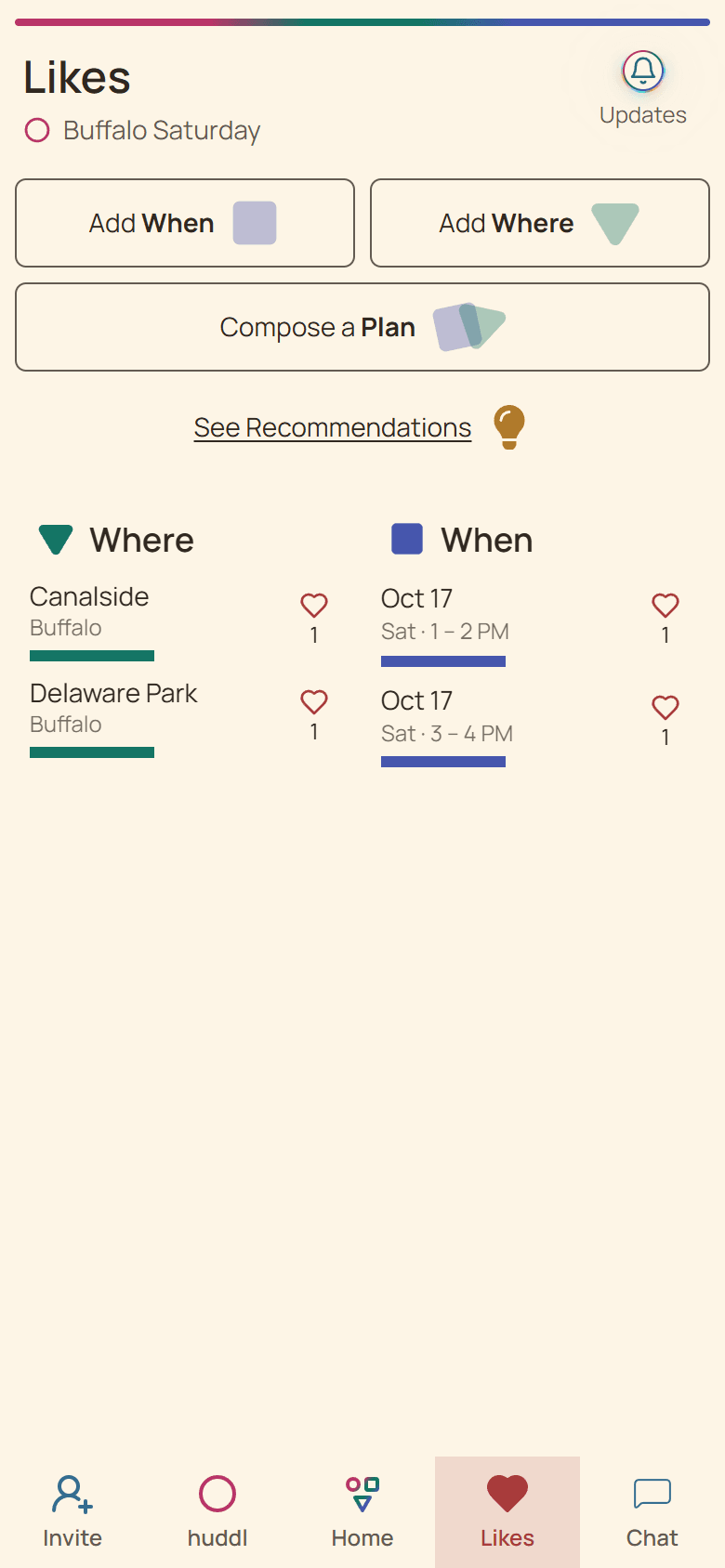
Current Huddl example: record member preferences. Fictional people and planning details are shown.
These screens use controlled fictional participants and current product behavior. Huddl does not verify bookings, venue inventory, travel conditions, or private constraints. Read the editorial standards for the evidence and correction process.