Guides
How to find a group meeting time
Turn an open-ended scheduling conversation into a few workable choices with a clear response window.
On this page
See this in Huddl
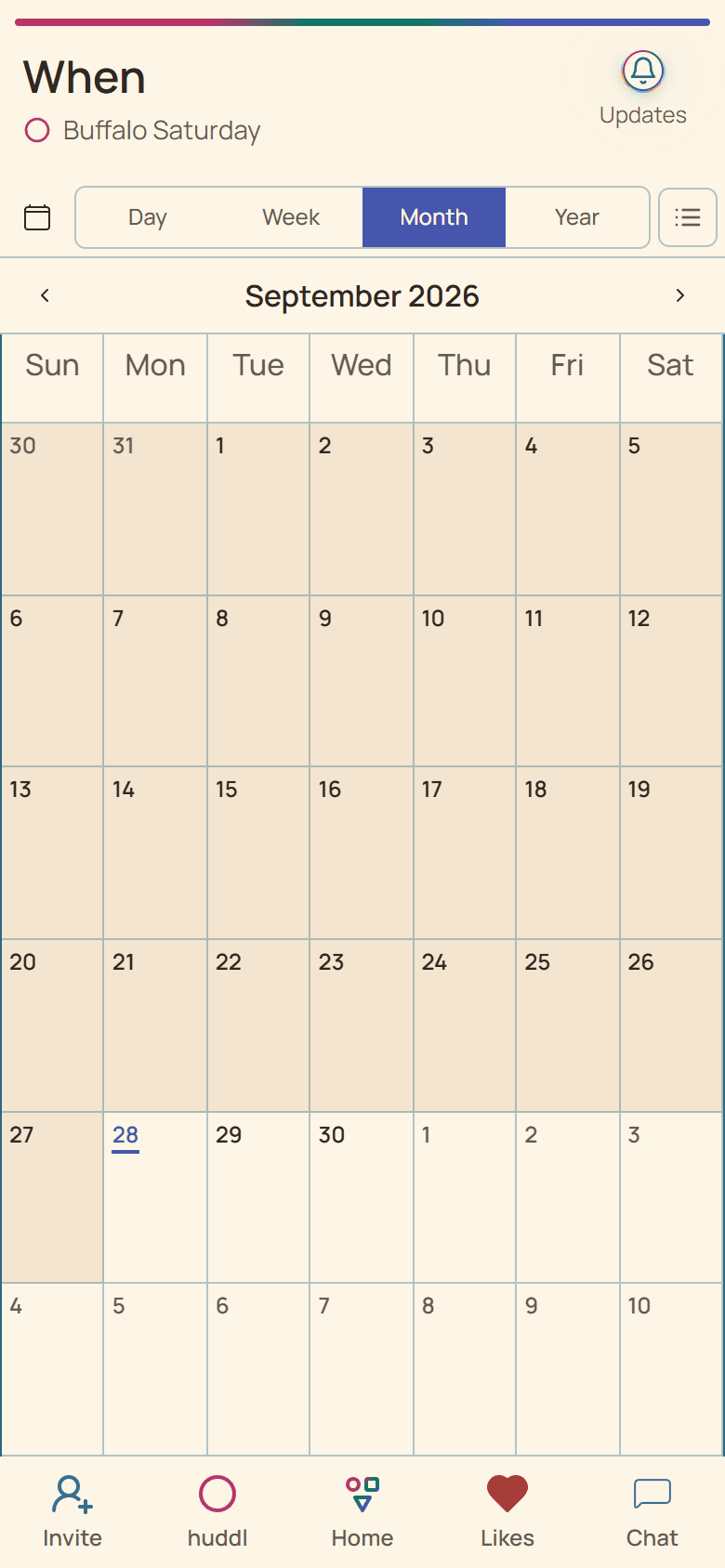
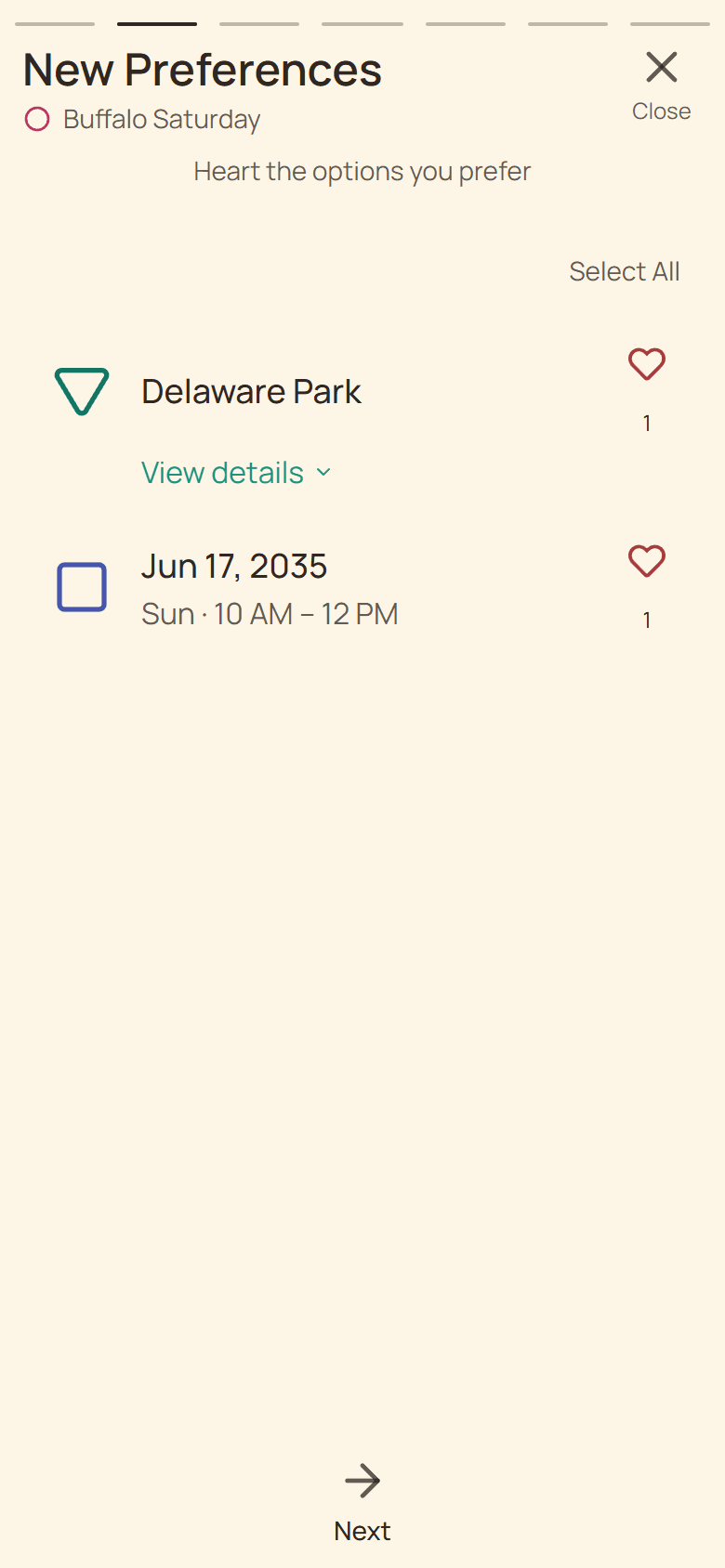
Follow the guide with these controlled fictional examples from the current application.
Define the decision before asking for dates
Before asking when everyone is free, explain what you are arranging and how long it will take. A quick lunch, an evening dinner, and a day trip require different kinds of availability. Include travel time if it affects whether someone can join.
Choose a reasonable window rather than opening the whole calendar. For a casual dinner, two evenings next week may be enough. For people traveling from different cities, begin with a wider date range and narrow it after hearing the least flexible constraints.
Offer choices people can compare
Use exact dates when possible. “Friday the 18th, from 7 to 9 p.m.” is easier to evaluate than “some Friday evening.” If the group spans time zones, identify the time zone explicitly and check that everyone is talking about the same moment.
Ask people to distinguish a good option, a possible option, and an impossible one. That reveals whether a small adjustment could include another participant. Preferences are useful, but a hard constraint deserves its own explanation where someone is comfortable sharing it.
- State the activity, expected duration, and scheduling window.
- Offer a short list of credible choices.
- Ask each person to answer by a specific day and time.
- Compare responses and check any important constraints.
- Publish the chosen date and ask for an attendance confirmation.
Example: choosing between two dinner evenings
Five friends can meet Thursday or Saturday. Four prefer Thursday, but the fifth works late that night. All five can attend Saturday. If the goal is to include the whole group, Saturday may be the better decision even though Thursday received more first-choice responses.
If no option works for everyone, explain the tradeoff. You might try a later start, offer a new date, or agree that this gathering will be smaller. Avoid leaving people to infer why their response was overlooked.
Close the loop
Say which date was chosen, what happens next, and whether people need to respond again. Availability is not the same as a commitment to attend. A concrete plan should identify the place and time before you request RSVPs.
If someone has not answered, send one focused reminder instead of repeatedly restarting the scheduling question. Keep a visible deadline so the rest of the group knows when the decision will be made.
- Check start, finish, and travel expectations.
- Use a complete date and clear time zone where relevant.
- Explain compromises rather than hiding them in a tally.
- Confirm attendance after the decision is concrete.
Use the same process in huddl
Create a named huddl, share the invitation, and add time suggestions or gather availability. Keep constraints in the conversation and compare the responses. Once a place and time work, participants can RSVP to that plan. The tool keeps input together; the group still makes the judgment.
Put it into practice
Families
Family gatherings
Coordinate dates, travel, food, and shared responsibilities for a family gathering without losing the details.
Read the workflow
Teams
Team lunches
Arrange an inclusive team lunch with a practical shortlist, clear availability, and a reliable booking headcount.
Read the workflow