Guides
How to use recommendations to choose a plan
Inspect recommended place-and-time combinations, review a candidate, and understand how the final Going action saves your plan.
On this page
See this in Huddl
Follow the guide with these controlled fictional examples from the current application.
Make the inputs useful
Recommendations depends on the places, times, and preferences in the huddl. A few credible venues and realistic dates create a better decision than many unexplained possibilities. Check that essential constraints have been discussed before comparing combinations.
A location may be popular but close too early or lack a needed facility. Counts help compare input; they do not replace practical verification with the venue or organizer.
Inspect the candidate pairs
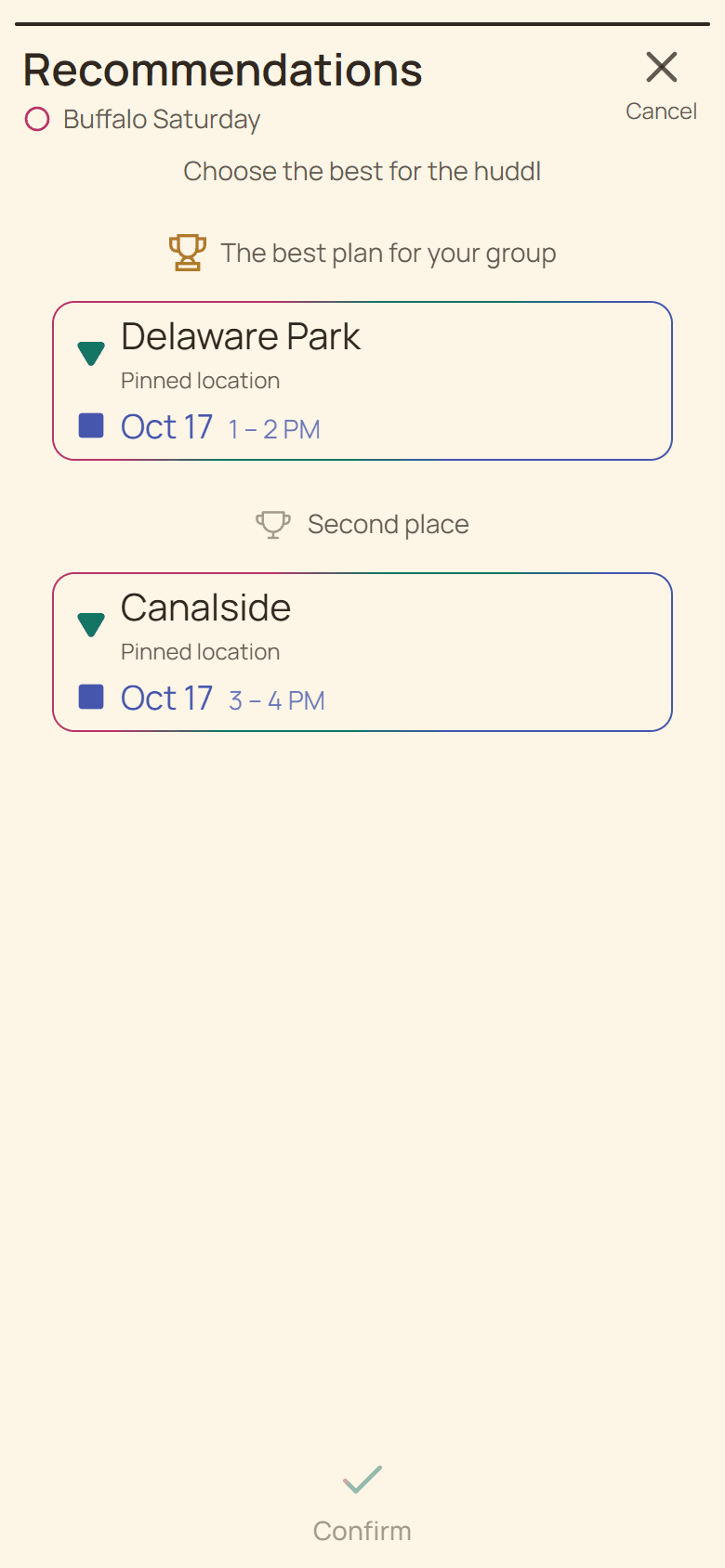
Open Add, choose See Recommendations, and read the place and time on each candidate. Select one pair to enable Review. If no candidate fits, revisit the underlying options or use the story controls to add missing details. Skip leaves this step without saving a plan.
An empty result does not mean the group cannot meet. You may need another time suggestion, a different place, or a less restrictive comparison. Keep the reason for each change clear in the conversation.
Check before sending
Read the candidate as if you were about to attend. Is the date clear? Is the location specific? Does the time allow travel? For dinner, confirm that the restaurant can accommodate the likely group and explain booking conditions before committing.
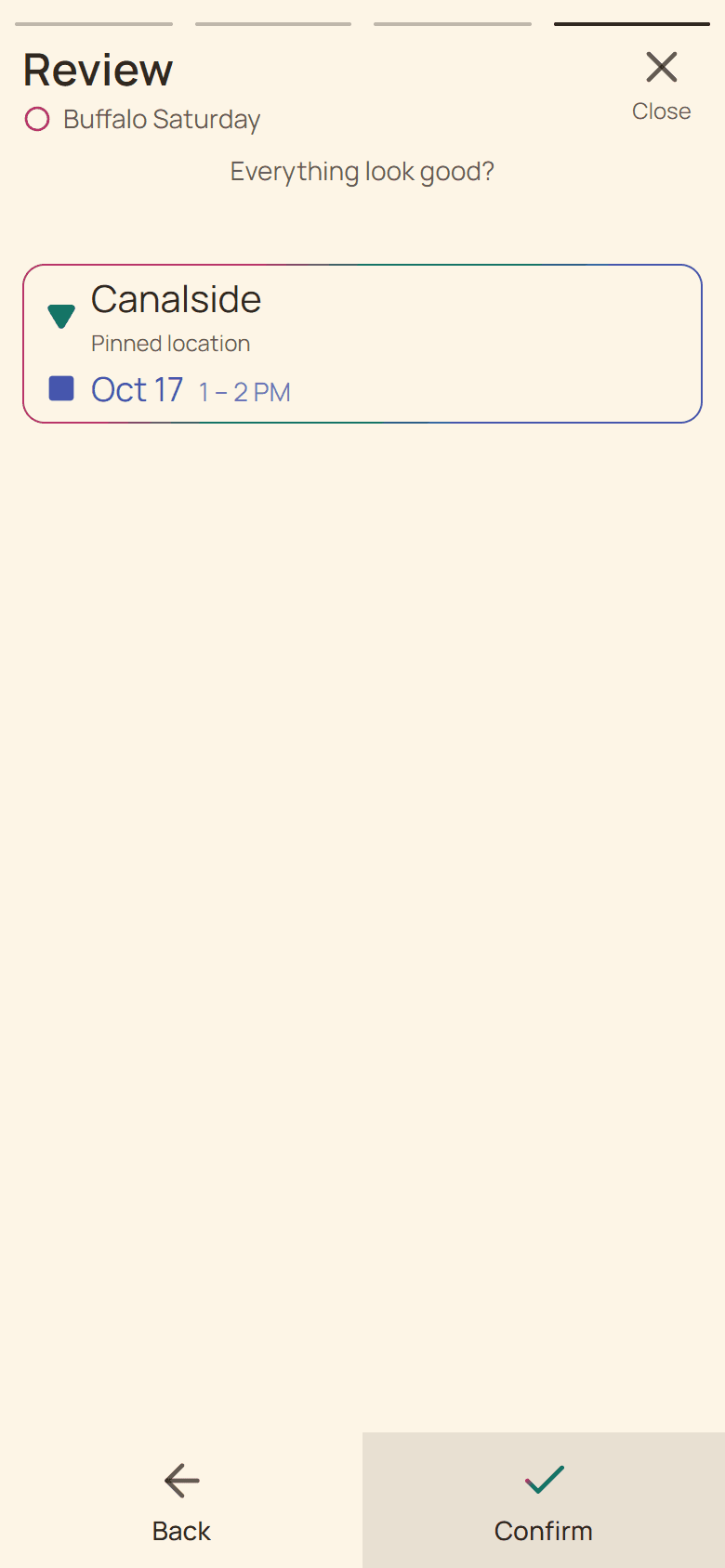
Select the candidate and choose Review. Inspect the place and time in the draft, then use the final action to save. The plan that opens afterward is the one to use as the reference in your conversation.
Understand the commitment
Selecting a recommendation does not save it immediately. Review the final action: Going commits you to the concrete plan. Check the saved attendance afterward and update it if needed. Other participants inspect the arrangement and make their own decisions.
Explain why you chose the candidate and ask for the next useful response. If sending fails, use retry and check the resulting plan before announcing success. Keep one recognizable reference in Chat, especially when candidates have similar names or nearby times.
Put it into practice
Friends
Dinner with friends
Choose a restaurant and time, gather RSVPs, and keep the reservation details in one shared dinner plan.
Read the workflow
Friends and families
Weekend outings
Keep destinations, timing, transport, and weather decisions together when arranging a weekend outing.
Read the workflow